Best on a computer or tablet: the full demo shows the office and both phones side by side.
Step 1 of 9. Monday, 2:15 PM
The office saves a site note
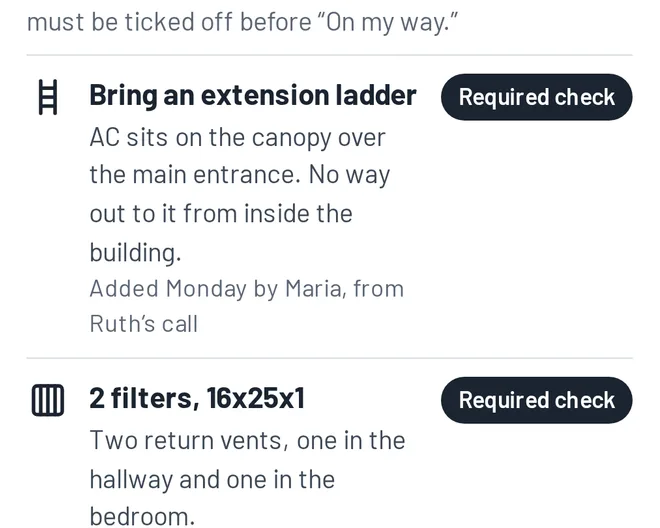
Maria, office managerRuth just called to book her tune-up. Her AC sits on the canopy over the entrance, and the only way up is a ladder. I’m adding it to her profile as a required check.
Behind the scenes: Notes live on the customer, not the appointment. This one shows up on every visit, for every tech, every year.
Step 2 of 9. Wednesday, 3:00 PM
The day before: an automatic reminder
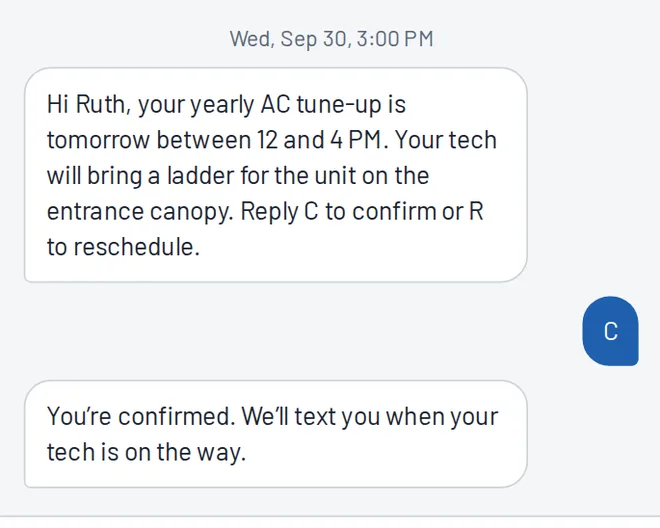
Ruth Feld, customerThe day before, I got a reminder text that already mentions the ladder. I just replied C to confirm.
Behind the scenes: Her reply is matched to the job and shows as confirmed in the office. If she replied R, the office would get a reschedule request instead.
Step 3 of 9. Thursday, 7:30 AM
Morning: Luis's day is ready
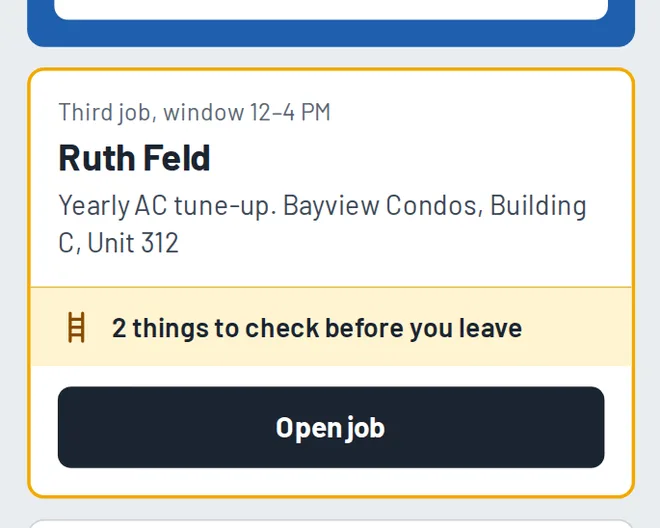
Luis, technicianMy day is ready when I open the app. Ruth’s job is flagged: 2 things to check before I leave for it.
Behind the scenes: The office sees every tech’s day on one board, and each job’s status updates as techs tap through their day.
Step 4 of 9. Thursday, 10:40 AM
A problem gets caught early
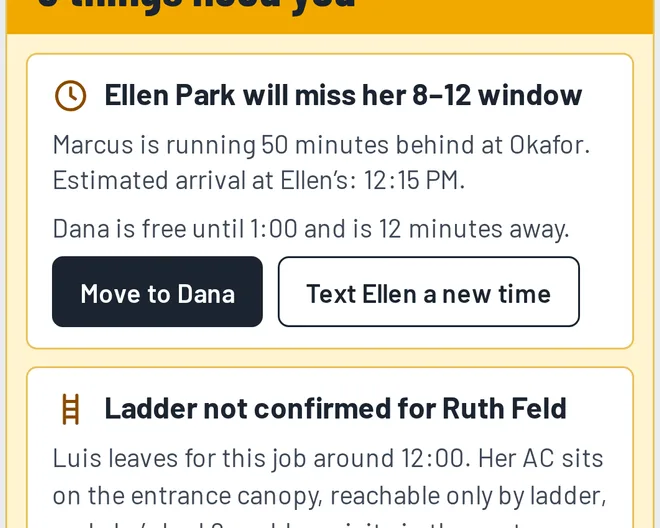
Maria, office managerIt’s 10:40. Marcus is running 50 minutes behind, so Ellen Park will miss her window. Dana is free and close. One click fixes it.
Behind the scenes: Moving the job texts Ellen her new arrival time. Without it, Ellen waits until noon and then calls you, upset.
Step 5 of 9. Thursday, 11:55 AM
Before he leaves: the required checks
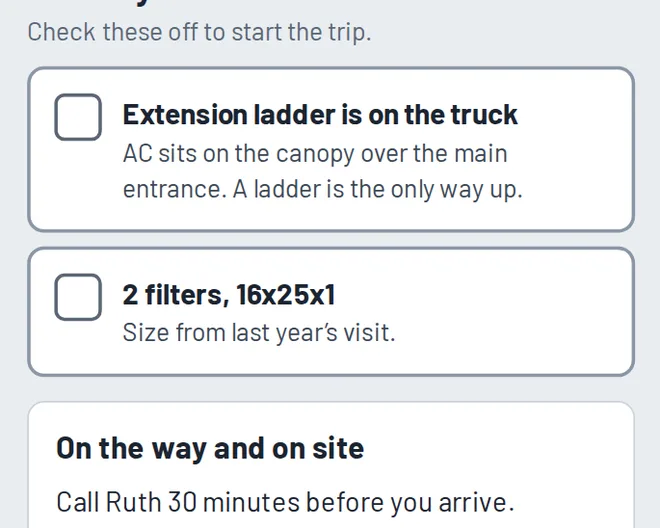
Luis, technicianOn my way stays locked until I confirm the ladder and filters are on the truck. No more showing up without what the job needs.
Behind the scenes: If Luis hasn’t confirmed by the time he should leave, the office gets an alert while there’s still time to fix it.
Step 6 of 9. Thursday, 11:58 AM
Ruth gets a real arrival time
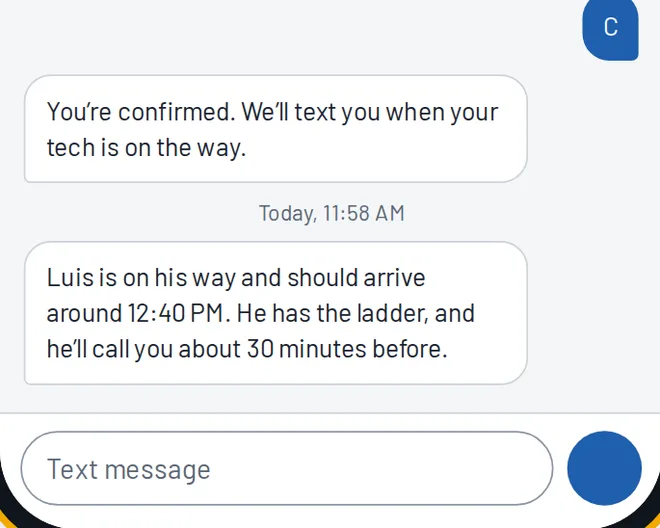
Ruth Feld, customerI got a text: Luis will be here around 12:40, and he has the ladder. He’ll even call 30 minutes ahead, like I asked.
Behind the scenes: Luis gets a reminder to call ahead because her profile asks for it. Nobody has to remember.
Step 7 of 9. Thursday, 1:50 PM
Finishing the job, without typing
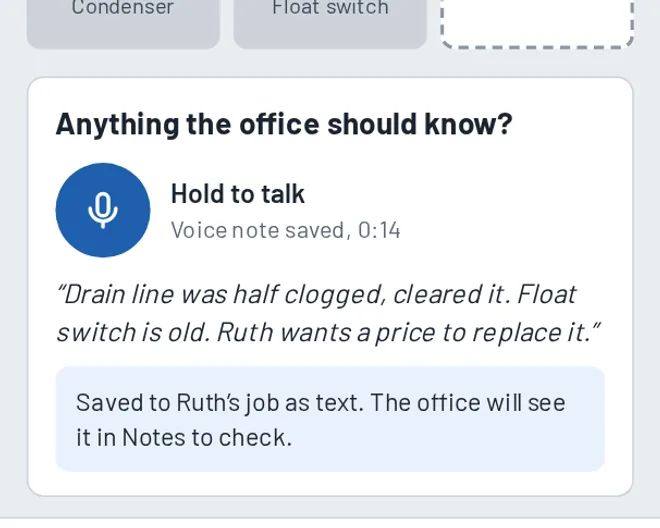
Luis, technicianI tap what I did and leave a 14-second voice note: the float switch is old, and Ruth wants a price. No typing.
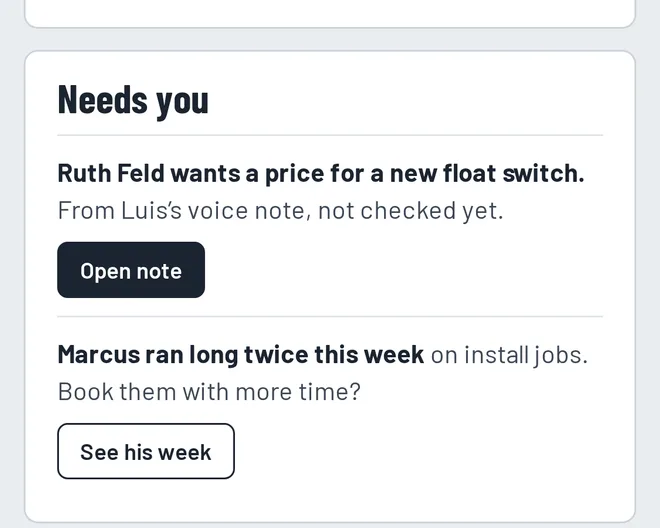
Behind the scenes: The voice note becomes text on Ruth’s job and lands in the office’s notes to check, so Maria sees she wants a price. Nothing depends on anyone’s memory.
Step 8 of 9. Thursday, 1:52 PM
Ruth gets a summary
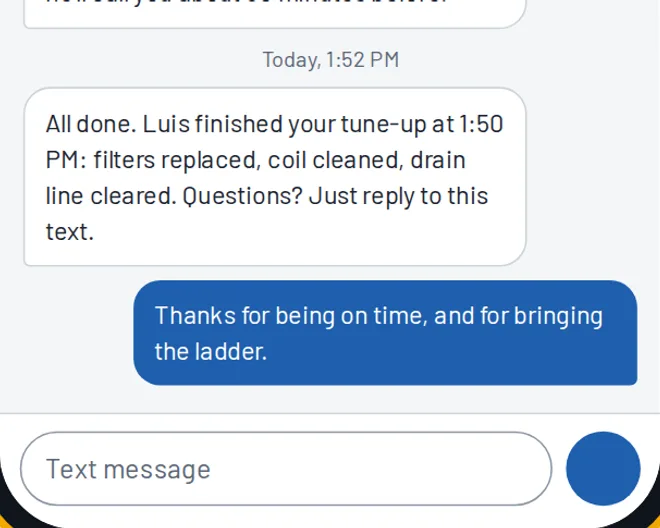
Ruth Feld, customerThey texted me a summary of the visit right after Luis finished. On time, with the ladder, first try. I wrote back to say thanks.
Behind the scenes: Customer replies land in the office, on her profile. A question or a complaint shows up as an alert, so you can answer it the same day.
Step 9 of 9. Friday, 6:00 AM
Next morning: your brief
Sam, ownerAt 6 AM my brief is on my phone: 17 of 17 jobs done, 1 window saved, and 2 things that need me. I hear about problems while I can still fix them.
Behind the scenes: That’s the point of KeptField: problems show up early, follow-ups don’t depend on memory, and customers stay.